Skip to content
QueueAI

Your AI workspace.Already in motion.

QueueAI connects your work apps to an AI workspace. Use context from Google Workspace, GitHub, Notion, Slack, and Linear to create documents, diagrams, code, and interactive previews.

Try Builder free for 14 days. No credit card required.

THE QUEUEAI WORKSPACE
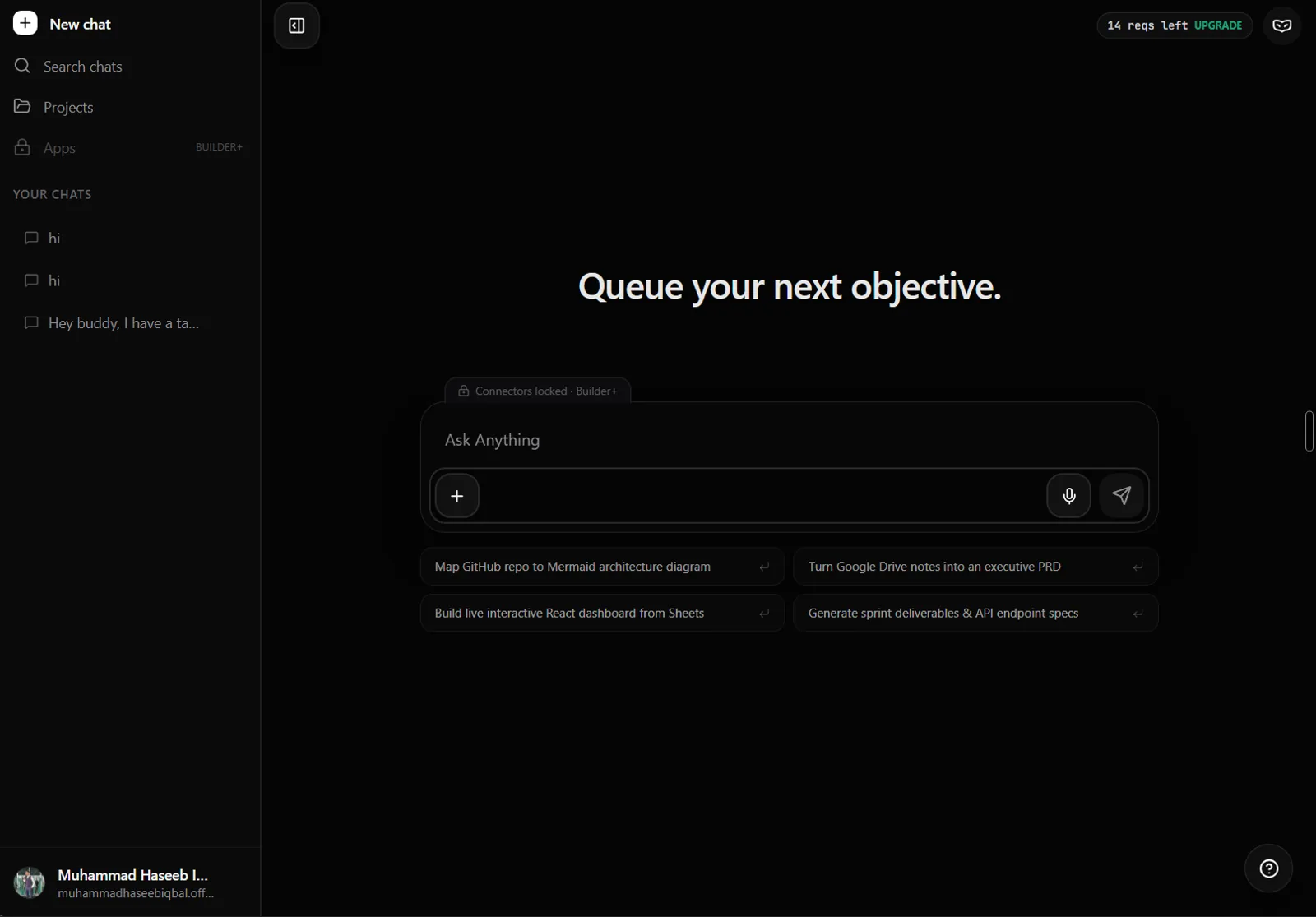
The full QueueAI workspace: chat sidebar, composer, suggested objectives, and account controls.
Your apps, your projects, and room for your next idea.

Connected context

Your work lives everywhere.
Bring the context together.

Builder + Pro

Search, read, and act across the tools you already use.

Connect the apps you choose. Manage access in your workspace.

Explore connectors

EXAMPLE OBJECTIVE

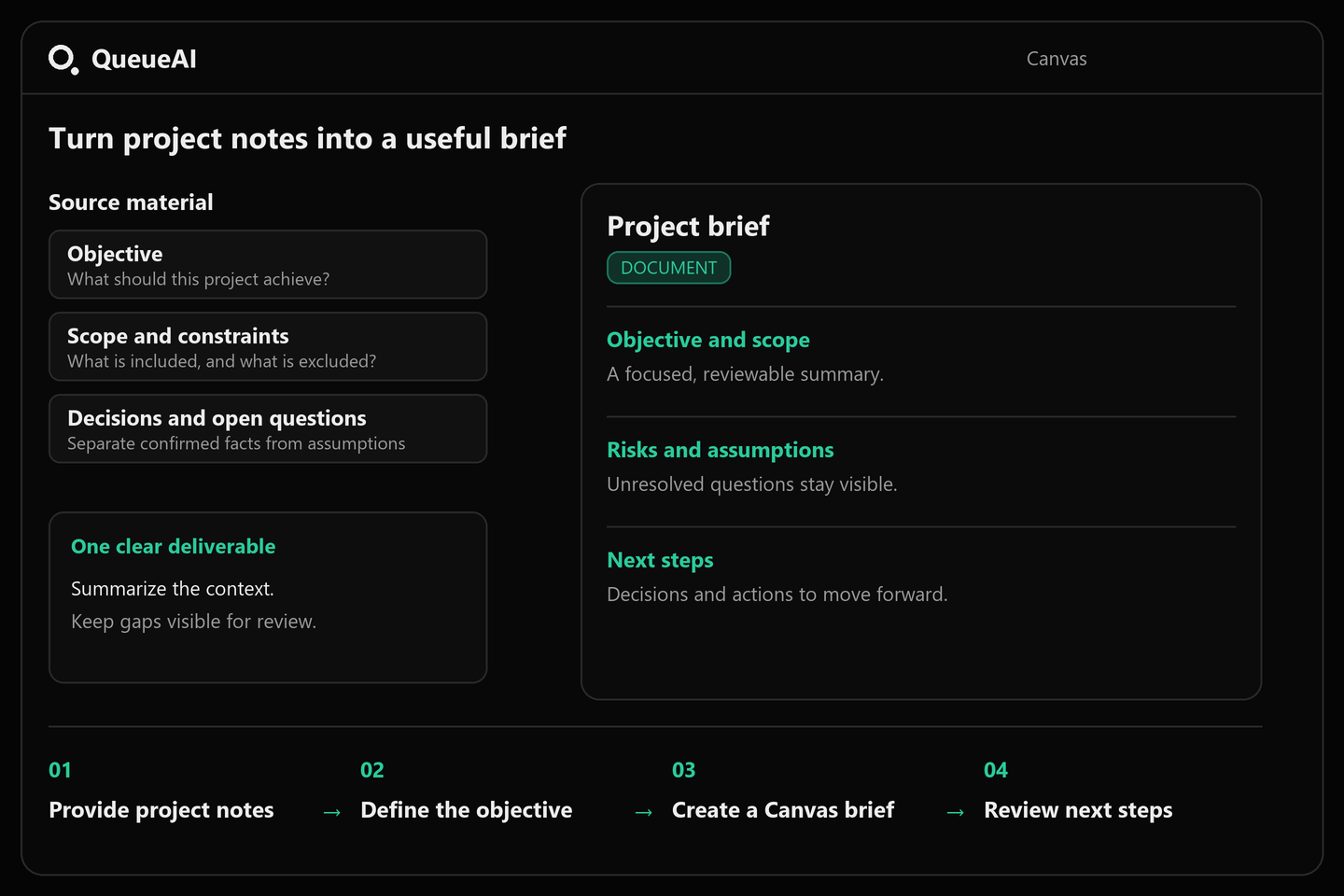
Turn the launch notes into a clear project brief.

Google Drive
  1. 01

    Read the source material

    Google Drive

    Project notes and requirements provide the context for the brief.

  2. 02

    Organize the requirements

    Working through the details

    Group the objectives, scope, and next steps into a clear structure.

  3. 03

    Create the launch brief

    Ready in Canvas

    Open the result in Canvas to review, refine, and export it.

Launch briefOpen in Canvas
Objective

Deliver a focused launch that validates the core value and sets up continued growth.

Scope

Prepare core messaging, ship the initial experience, and support a clear go-to-market plan.

Next steps

Finalize messaging. Complete design and build. Prepare the launch assets.
Visible progress

One objective.
A clear path
forward.

Follow the work from connected context to an editable result.

See how QueueAI works

Made in Canvas

From a conversation
to something you can use.

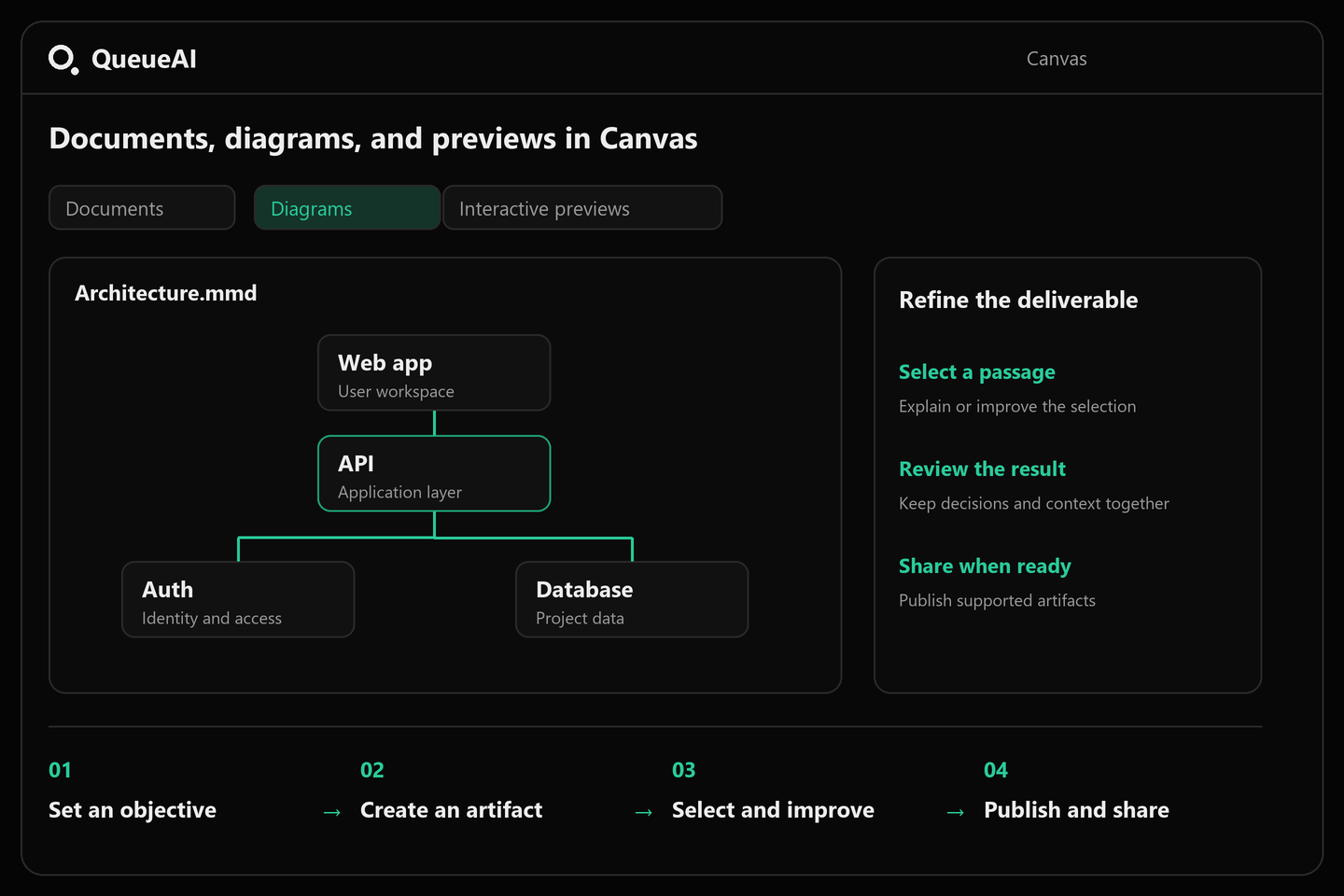
Shape documents, explore architecture, and preview interfaces in the same workspace.

Launch briefPreview

A clear plan for launch.

A unified plan to take the product from idea to market, with a focused scope and clear next steps.

Objective

Deliver a focused launch that validates the core value and sets up continued growth.

Scope

Prepare core messaging, ship the initial experience, and support a clear go-to-market plan.

Next steps

Finalize messaging. Complete design and build. Prepare the launch assets.

Illustrative outputs

You set the boundaries

Connected.
On your terms.

Choose which apps QueueAI can access. Review Slack messages before they are sent.

Manage access per connector
Confirm before sending to Slack

Connected apps

Manage which apps QueueAI can access.

Google Drive

Access enabled

GitHub

Access enabled

Notion

Access enabled

Slack

Access enabled

Linear

Access disabled

Send to Slack?

#product-updates

The launch brief is ready for review.

Review this message before sending.

Interactive example · no connected accounts

Put your AI workspace to work.

Practical guides for connected context, project planning, and editable deliverables.

About QueueAI

A workspace for useful results.

What is QueueAI?

QueueAI is an AI workspace that brings together chat, projects, connected apps, and Canvas. Start with an objective and work toward a document, diagram, code artifact, or interactive preview.

Which apps does QueueAI connect to?

QueueAI supports Google Workspace, GitHub, Notion, Slack, and Linear. Connectors are available on Builder and Pro. You choose which apps to connect and can disable their access.

What can I create in Canvas?

Canvas supports documents, diagrams, code, and interactive previews. For example, you can turn project notes into a launch brief or use repository context to prepare a Linear issue.

Can I try QueueAI for free?

Yes. The Explorer plan includes 15 requests per day, core chat tools, and 3 saved Canvas sandboxes. Builder starts at $9 per month and Pro at $19 per month. Annual billing options are available on the pricing page.

Do connected apps perform actions automatically?

Connector capabilities vary. Notion can search and read shared pages. Supported external actions, including sending Slack messages and creating Linear issues, require review and confirmation.

QueueAI

Queue your
next objective.

Start with an idea. Make it useful.

14-day Builder trial · No credit card required · No automatic charges

Connectors available on Builder and Pro.

View plans

Queue your next objective.

Ask Anything